Distort is fully external and uses your CPU to draw the overlay on your screen. This can be intensive, especially for older machines. To improve performance, do the following:
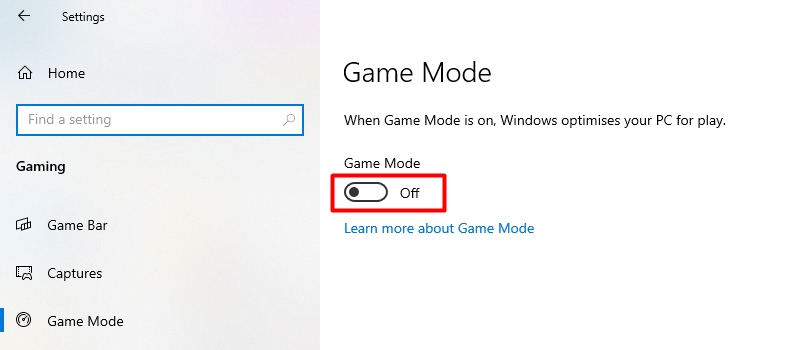
Go to windows settings → select gaming → select game mode → disable "Game Mode"
Go to windows settings → select system → select display → select graphics settings → disable "Hardware-Accelererated GPU scheduling"
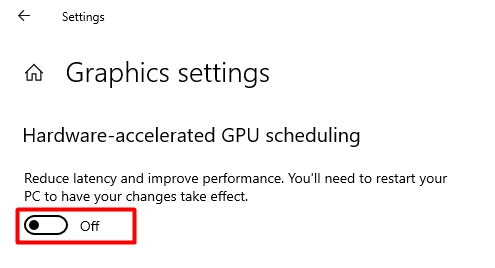
You must restart your computer.
If the above solutions do not work, you can try limiting your FPS in CS2 with the "fps_max" console command. Set fps_max to be slightly above your average fps. For Example: if you normally get 200fps, then set fps_max to 210